I'm starting to get caught up on the "Stuff You Should Know" podcast. It's a frequently updated show where two host discuss a topic in a casual way. The topics in th past have inlcuded sleep, Masons, crime scene cleanup, venom, prison, rehab, and more. Sometimes the 30 minute podcast is only enough for a surface look, and other times they go into greater detail. The discussions feel like the hosts only just learned about their topic in the last few days, which makes it more accessible.
With the recent protests we've seen in Seattle (which were really mild) and with riots around the world (much more serious) getting press, the question of riot control comes up quite a bit.
I found the Stuff You Should Know podcast on riot control fascinating. They discuss what causes riots and how modern policing practice are designed to end riots with minimal injuries. I found the discussion of tactical units advancing on rioters particularly interesting.
Each podcast has an accompanying article on the How Stuff Works website. The article covers most of what is on the podcast, but inlcudes more diagrams and resources. This one is worth reading.
I'd link to the particular episode of the podcast, but I can't seem to find a program list on the website. You should be able to find it on iTunes or your favorite podcast agregator. The home page for the show itself is here.
Showing posts with label Podcast. Show all posts
2011-02-21
2010-07-09
Doggcatcher on Android
I have dozens of apps on my Droid. You can see my current list here. I've only paid for two of them, however. One is the Zagat's app which I rarely use. The other is Doggcatcher and I use that all the time.
Doggcatcher is easily worth the $10 I spent and is the best podcatcher I've tried on the Droid.
I tired the Media Fly apps, the Google Listen app, and several others. I was about ready to give up on Podcasts on the Droid until I got Doggcatcher.
I like that it manages feeds well. It downloads the Podcasts to my phone when I have 3G access. It also has settings to limit to restrict it to WiFi only, if you prefer. Through Doggcatcher, I subscribe to:
Unlike my iPod, there is no syncing involved. I don't have to think about making sure I have the latest content. It's just there.
Unlike other Podcast and music apps for the Droid, Pause and Fast Forward work well. Since it's not streaming I never have to deal with buffering.
I'm actually listening to my Podcasts more often since I almost always have my phone with me. Even when I'm walking to the grocery store I can easily be learning more stuff. With my iPod (which I still use sometimes) there are the extra steps of getting the iPod and then carrying it with the other stuff. Doggcatcher on the Droid solves that problem.
It's not perfect. The list that shows what will play next is a bit confusing. It works but it's not as intuitive as it could be. The main interface also confuses me sometimes. I'm not sure exactly how to fix it, but I hope that gets more polished in time.And I'm not sure if it stores content on the SD card (which is where I want it) or on the phone (where it takes up valuable space).
It boggles my mind that there are so few good Podcatcher/player apps out there. But Doggcatcher is a good one and is well worth the money.
Doggcatcher is easily worth the $10 I spent and is the best podcatcher I've tried on the Droid.
I tired the Media Fly apps, the Google Listen app, and several others. I was about ready to give up on Podcasts on the Droid until I got Doggcatcher.
I like that it manages feeds well. It downloads the Podcasts to my phone when I have 3G access. It also has settings to limit to restrict it to WiFi only, if you prefer. Through Doggcatcher, I subscribe to:
- This Week in Tech
- This Week in Google
- Manager Tools
- Career Tools
- This American Life
- Nerdist
- RadioLab
- Paul and Storm
- Podcast Answer Man
- NPR Technology
- Stuff You Should Know
- Seattle Geekly
Unlike my iPod, there is no syncing involved. I don't have to think about making sure I have the latest content. It's just there.
Unlike other Podcast and music apps for the Droid, Pause and Fast Forward work well. Since it's not streaming I never have to deal with buffering.
I'm actually listening to my Podcasts more often since I almost always have my phone with me. Even when I'm walking to the grocery store I can easily be learning more stuff. With my iPod (which I still use sometimes) there are the extra steps of getting the iPod and then carrying it with the other stuff. Doggcatcher on the Droid solves that problem.
It's not perfect. The list that shows what will play next is a bit confusing. It works but it's not as intuitive as it could be. The main interface also confuses me sometimes. I'm not sure exactly how to fix it, but I hope that gets more polished in time.And I'm not sure if it stores content on the SD card (which is where I want it) or on the phone (where it takes up valuable space).
It boggles my mind that there are so few good Podcatcher/player apps out there. But Doggcatcher is a good one and is well worth the money.
2010-03-23
Logitiech FreePulse finally works for me
A few years ago, The GF took note of how annoyed I get with headphone cables.
I lived with them in 80s when I had my Walkman because that was all there was. Still, I went through several pair as I damaged one part of the wire or another. Eventually my activities took me out of the Walkman world (I stopped listening to so many tapes that played slower and slower as the day wore on).
A couple years after moving into my current apartment building, I got tired of straining to hear the TV at three in the morning. Turning up the volume wasn't an option because some people have this crazy idea that 3:00 AM is sleeping time. Damn sleepers making life inconvenient...
The solution was a set of wireless headphones. I picked up a Panasonic set for about $100. They did a pretty good job until once again, my old nemesis, the wires, caused problems.
In 2006, I joined a cult when I got my iPod. And yet once again I had to contend with headphone cables. I really hate them. They get tangled in my pockets. They get caught on things. The look messy. And quite frankly I have none of the natural grace required to look like something besides a complete dork with them. And I figured it was only a matter of time before I broke them.
This was one solution I found to the part of the problem. Cool, huh?
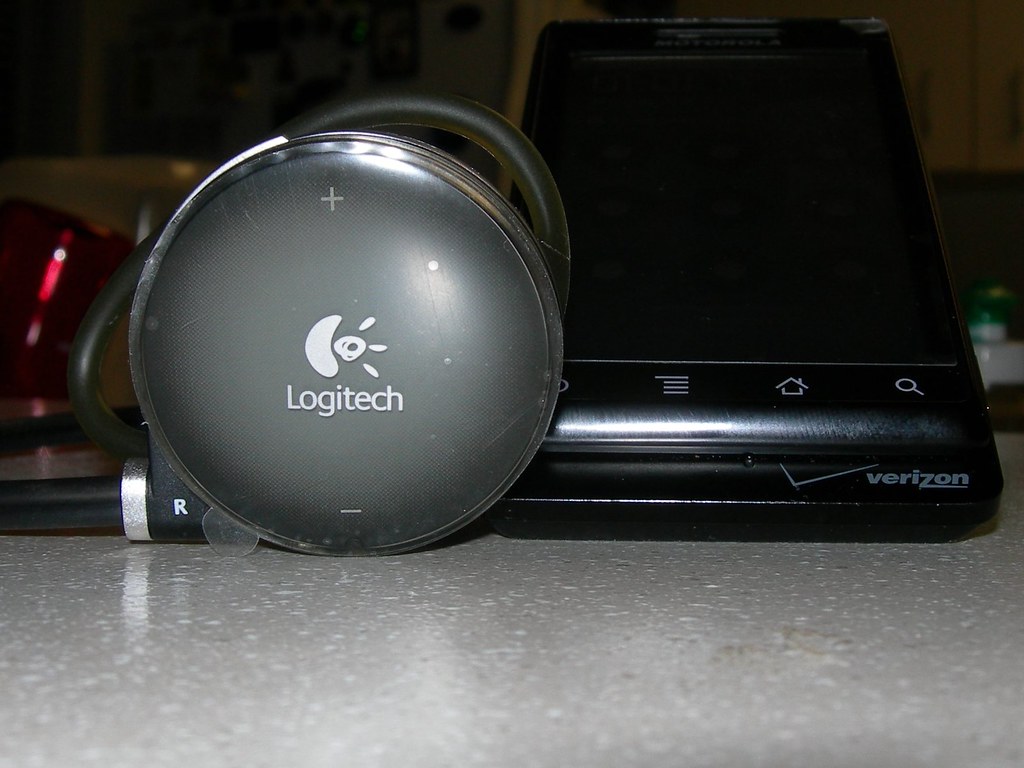
So one year for Valentine's Day, The GF decided to surprise me with a set of Logitech FreePulse Wireless headphones for my iPod. Since they run on Bluetooth, there is no cable to connect them to the MP3 Player which had the potential to be awesome.
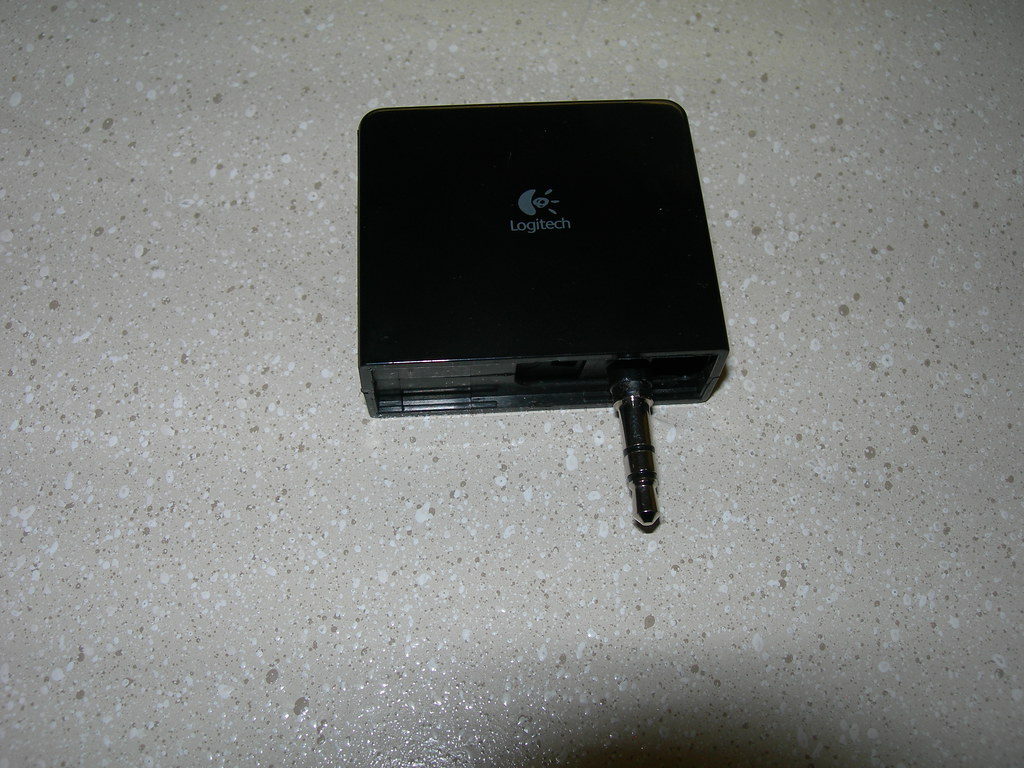
They "work" with a transmitter. The transmitter plugs into the headphone jack on an iPod and transmits the sound to the headphones.
But the headphone demons weren't done with me yet. When I set the system up, it dropped out an entire class of sound in music. Those frequency drops made music sound poor but made podcasts inaudible. It simply didn't work right.
I contacted Logitech and they sent me a replacement. Again, it didn't work. I think it was the same problem. The whole system had great promise, but Logitech seemed unable to execute on it. I put my two defective sets in a box and drifted on to other projects.
That's where they stayed until this weekend. I was cleaning up my office and stumbled across the parts. Even though they didn't work, I couldn't bring myself to get rid of them. Then I gave it some thought. It seemed the transmitter part was the problem, so could the headphones be okay? After all, Bluetooth is an industry standard. Of course, the iPod 60GB doesn't do Bluetooth.
But Droid does.
I plugged in the two headset and let them charge for a day. The first one wouldn't power on for more than a few seconds, let alone pair with a Droid. I held my breath while I ran through the setup on the other pair -- and it worked. It paired right up with my Droid and began playing audio exactly as it should.
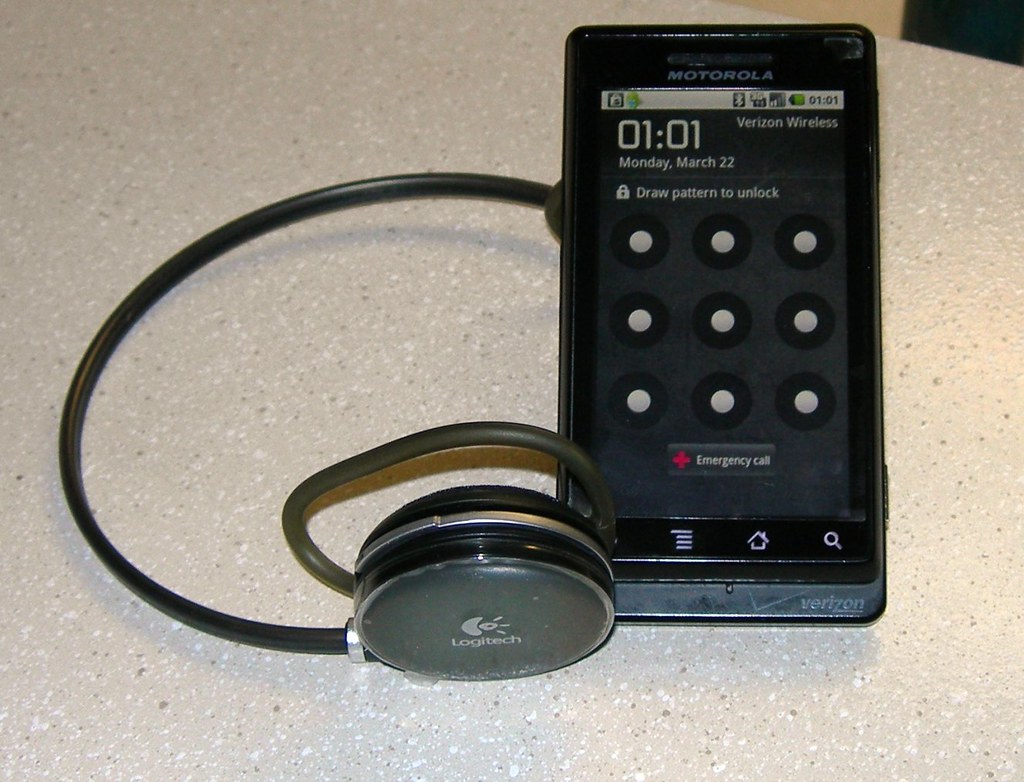
I rejoiced in my technological victory and gave it some more testing, and it still works.
Now I can download podcasts directly to my Droid. The sound quality is fantastic. It's much better than I expected. I can even leave my phone in the center of my apartment and the headphones keep their link 20 feet away and even through walls.
So I am thrilled. I resurrected something from my closet. I get to use a very thoughtful gift. I can enjoy podcasts without carrying my iPod everywhere. And I get now listen while I work out on the WiiFit (stop laughing) without nearly strangling myself with a cable.
And I feel just a little better about Logitech.

I lived with them in 80s when I had my Walkman because that was all there was. Still, I went through several pair as I damaged one part of the wire or another. Eventually my activities took me out of the Walkman world (I stopped listening to so many tapes that played slower and slower as the day wore on).
A couple years after moving into my current apartment building, I got tired of straining to hear the TV at three in the morning. Turning up the volume wasn't an option because some people have this crazy idea that 3:00 AM is sleeping time. Damn sleepers making life inconvenient...
The solution was a set of wireless headphones. I picked up a Panasonic set for about $100. They did a pretty good job until once again, my old nemesis, the wires, caused problems.
In 2006, I joined a cult when I got my iPod. And yet once again I had to contend with headphone cables. I really hate them. They get tangled in my pockets. They get caught on things. The look messy. And quite frankly I have none of the natural grace required to look like something besides a complete dork with them. And I figured it was only a matter of time before I broke them.
This was one solution I found to the part of the problem. Cool, huh?

So one year for Valentine's Day, The GF decided to surprise me with a set of Logitech FreePulse Wireless headphones for my iPod. Since they run on Bluetooth, there is no cable to connect them to the MP3 Player which had the potential to be awesome.
They "work" with a transmitter. The transmitter plugs into the headphone jack on an iPod and transmits the sound to the headphones.
But the headphone demons weren't done with me yet. When I set the system up, it dropped out an entire class of sound in music. Those frequency drops made music sound poor but made podcasts inaudible. It simply didn't work right.
I contacted Logitech and they sent me a replacement. Again, it didn't work. I think it was the same problem. The whole system had great promise, but Logitech seemed unable to execute on it. I put my two defective sets in a box and drifted on to other projects.
That's where they stayed until this weekend. I was cleaning up my office and stumbled across the parts. Even though they didn't work, I couldn't bring myself to get rid of them. Then I gave it some thought. It seemed the transmitter part was the problem, so could the headphones be okay? After all, Bluetooth is an industry standard. Of course, the iPod 60GB doesn't do Bluetooth.
But Droid does.
I plugged in the two headset and let them charge for a day. The first one wouldn't power on for more than a few seconds, let alone pair with a Droid. I held my breath while I ran through the setup on the other pair -- and it worked. It paired right up with my Droid and began playing audio exactly as it should.
I rejoiced in my technological victory and gave it some more testing, and it still works.Now I can download podcasts directly to my Droid. The sound quality is fantastic. It's much better than I expected. I can even leave my phone in the center of my apartment and the headphones keep their link 20 feet away and even through walls.
So I am thrilled. I resurrected something from my closet. I get to use a very thoughtful gift. I can enjoy podcasts without carrying my iPod everywhere. And I get now listen while I work out on the WiiFit (stop laughing) without nearly strangling myself with a cable.
And I feel just a little better about Logitech.
Subscribe to:
Posts (Atom)